
Update your billing information
If you need to change the billing details associated with your Leave Dates subscription, you can do this at any time from the Billing Portal. This includes updating your billing name, email address, billing address, phone number, and tax information.
Note: You must have an active Leave Dates subscription to access the Billing Portal.
Update your billing details
- In Leave Dates, go to Settings > Billing.
- Click Open billing portal.
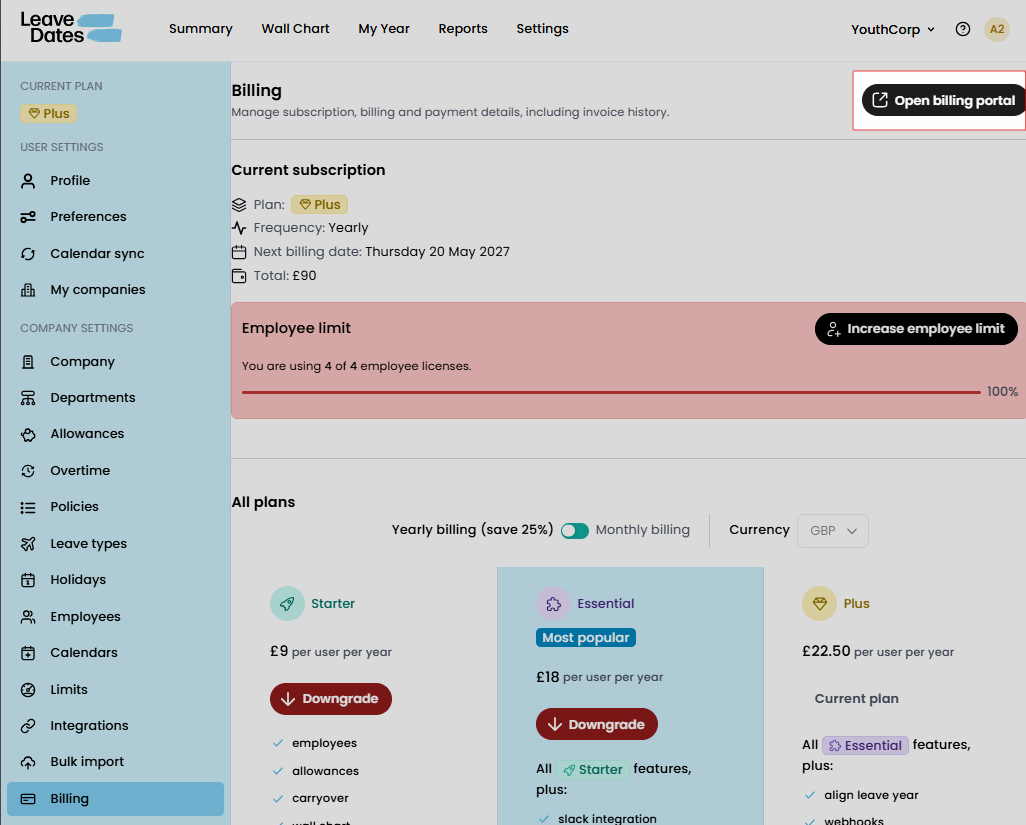
The Billing Portal opens in a new window. Under the Billing information section, click Update information.
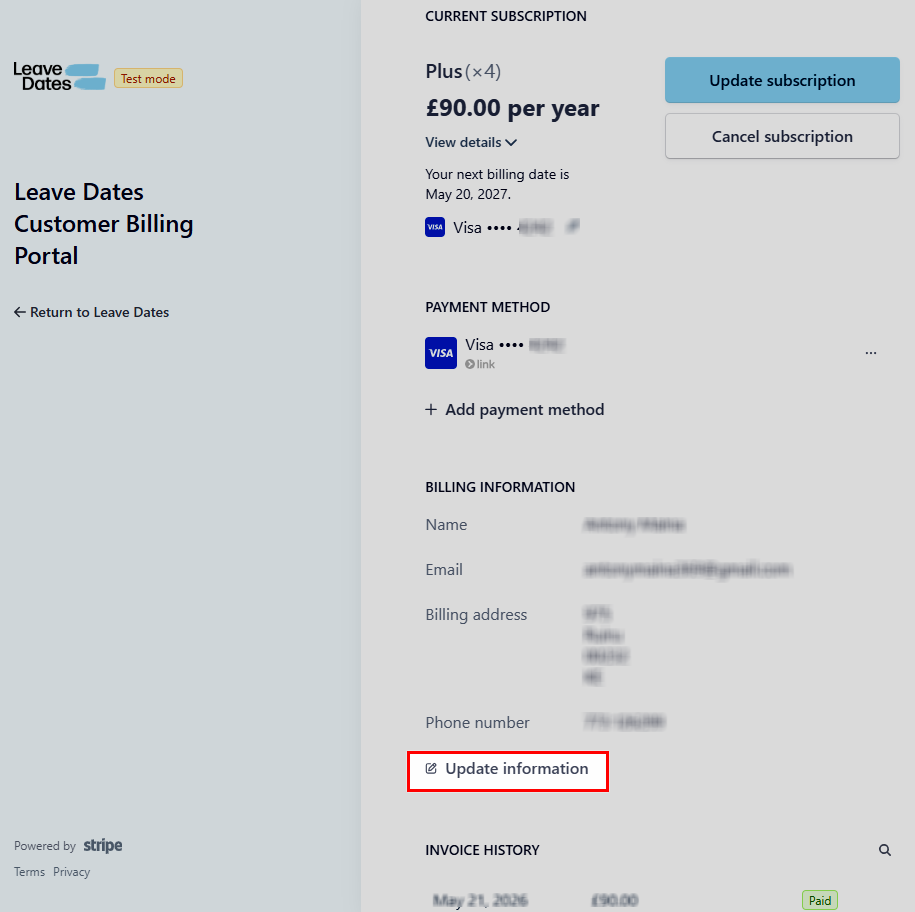
You'll be taken to the Billing information page, where you can edit your billing details, including:
- Name
- Email address
- Billing address
- Phone number
- Tax ID (if applicable)
Update the required fields, then click Save at the bottom of the page.
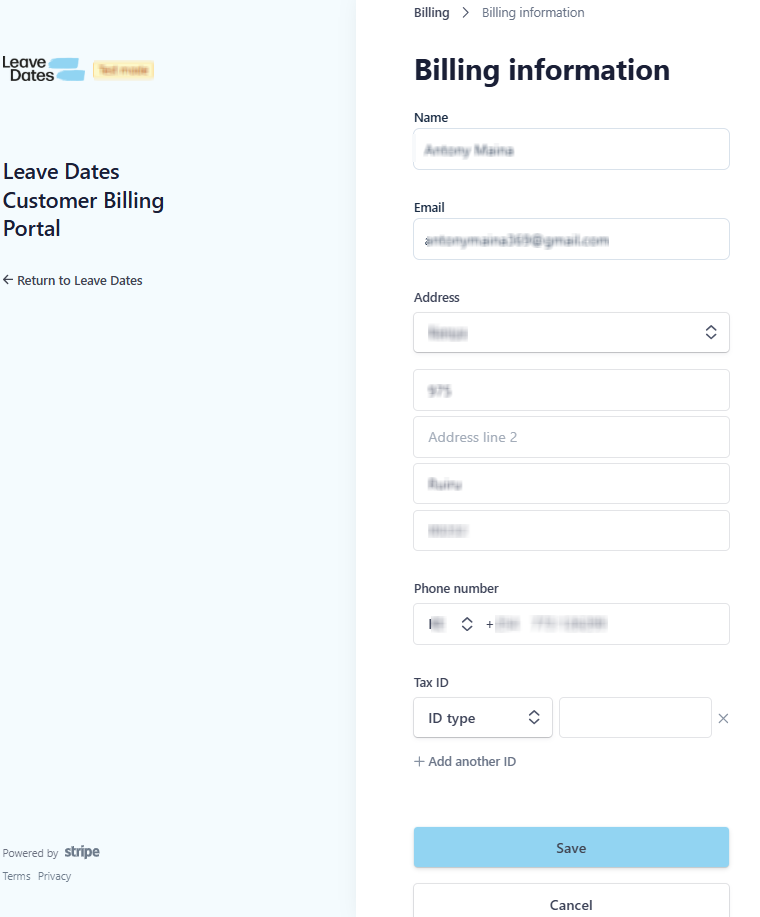
Your billing information is updated immediately and will be used for future invoices and your next subscription renewal.
Any changes you make are saved to your subscription's billing profile. Your updated information will appear on future invoices and will be used the next time your Leave Dates subscription renews. Previous invoices won't be changed, as they reflect the billing information that was in place when they were issued.